

Reviewing Assisted Cobb Angle Suggestions




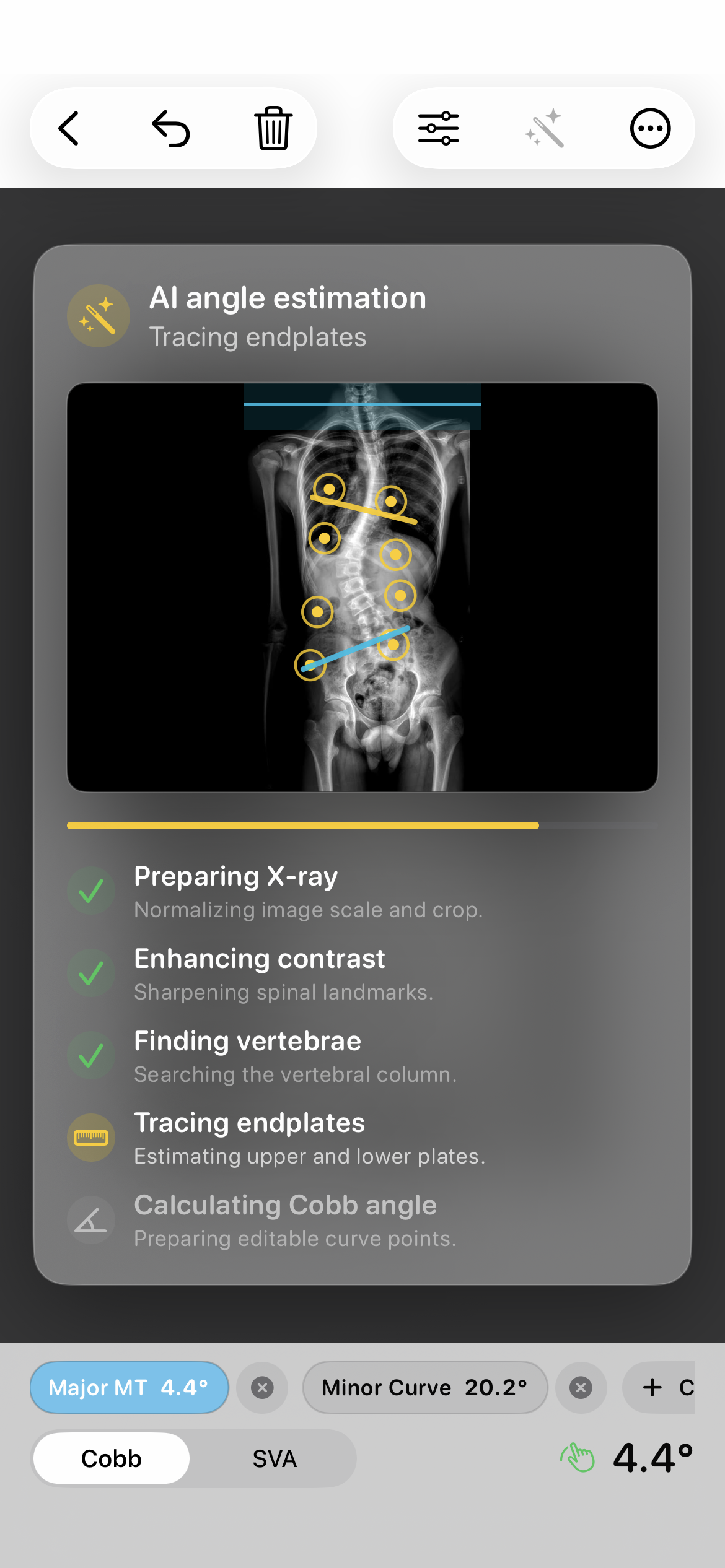
Different landmark choices can produce different Cobb angle readings. Published measurement studies describe variation between and within observers; they do not establish an accuracy claim for Cobb Angle Pro. The app's assisted feature therefore presents a candidate for human review, with manual controls available before saving.
Review the candidate on the image
- Open the X-ray and request an assisted candidate in the measurement workspace.
- Inspect the selected upper and lower landmarks against the vertebral endplates. Check the image orientation and framing before accepting the placement.
- Move any misplaced point. The displayed angle updates as the landmarks change.
- Save or export only after the final lines and angle have been checked in the context of the case.
For example, if a suggested line follows a neighboring endplate, move the points to the landmarks you intend to measure and check the new angle. The important record is the reviewed placement, not the fact that a candidate was offered.
Keep the result in context
The assisted output does not diagnose scoliosis, choose treatment, or replace professional interpretation. If the image or landmarks cannot be reviewed confidently, do not treat the candidate as a verified measurement. The manual tool remains available for clinician-controlled placement.
See the digital Cobb measurement workflow for the full import, measure, and export path.
Further Reading
- Morrissy RT et al. Measurement of the Cobb angle on radiographs of patients who have scoliosis: evaluation of intrinsic error. J Bone Joint Surg Am. 1990.
- Gstoettner M et al. Inter- and intraobserver reliability assessment of the Cobb angle: manual versus digital measurement tools. Eur Spine J. 2007.